Football commitment graphics.
One action shot from under the lights. One minute. One post the whole town shares.
Free to download · No account · Any school, any level
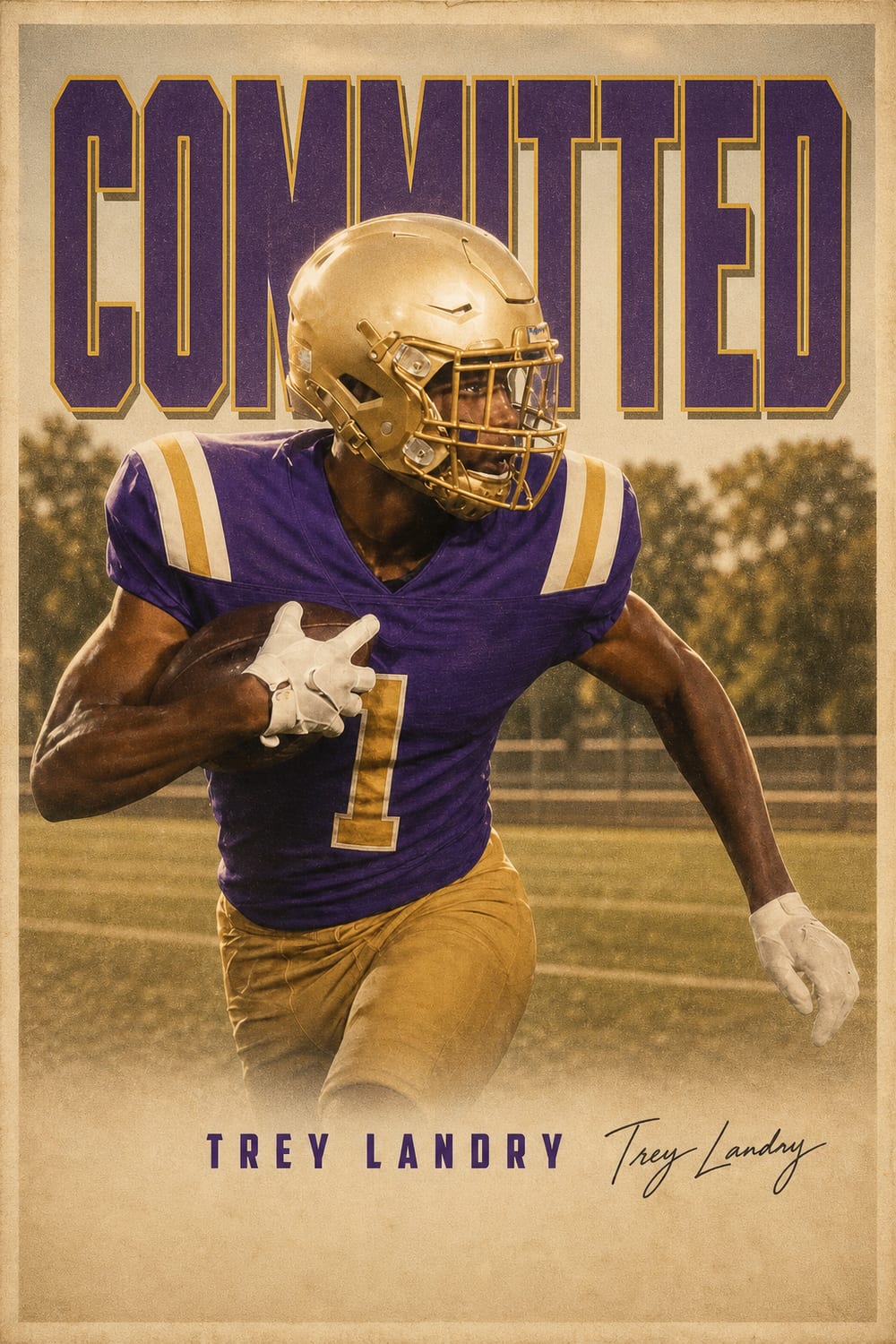
In football, the commitment post is the modern press conference. Before the hat ceremony, before the local paper writes it up, the announcement lands on Instagram and X — and it's the first thing coaches, teammates, and every rival fan base sees. A blurry screenshot with text slapped on it doesn't match the size of the moment.
CommitGraphics turns one action photo — a route, a cut, a sack, a celebration under the Friday-night lights — into a finished, D1-caliber football commit edit. Your name, position, class year, and school are composited cleanly over pro-grade artwork in your school's real colors, so the post looks like it came from a team's creative department, not a template site.
It works for every football moment: the verbal commitment, the offer announcement, the transfer, and signing day itself — from FBS scholarships to D3, NAIA, JUCO, and preferred walk-on spots.
A minute from done
Your details
Name, position — QB to long snapper — jersey number, and class year. Exactly as you want them on the post.
Your school
Type the school you're committing to and its state. Its real colors and identity are pulled in automatically.
Your photo
One action shot. Game photos from the bleachers work — the bigger the play, the better it lands.
Make it official
Tap generate and get a finished graphic instantly. Regenerate until it's the one, then post it everywhere.
Built for football
Committing to a school means wearing its colors. They're pulled in automatically — no guessing hex codes.
QB, RB, WR, OL, edge, DB, specialists — from varsity and 7v7 to FBS, FCS, D2, D3, NAIA, and JUCO.
Nothing comes from a template. Every generation is designed around your photo, your position and your school’s colors.
1080×1350 post, 1080×1920 Story, square, and 1600×900 for X. One download covers announcement day.
A designer charges hundreds and takes days. Your football commit edit is done in about a minute.
The CommitGraphics difference
Shooting a football commit photo
Shoot low, shoot wide
Football is the one sport where the low angle is almost always right. A photo taken from field level — or from the front row of the bleachers, shooting slightly upward — makes a lineman look immovable and a receiver look airborne. Shots taken from high in the stands flatten everything and turn the athlete into a small figure on a big green rectangle.
Leave room around the body. Pads and a helmet already crop strangely, and a photo cropped tight at the shoulders gives the design nothing to work with. A full-body frame with space above the helmet and below the cleats gives the artwork somewhere to build the stadium, the smoke, and the headline.
Friday-night light is your friend
Stadium lighting is harsh and directional, which is exactly what these designs want. Backlit shots — where the lights are behind you and the helmet catches a rim of white — separate the athlete from the background and read as expensive. Avoid mid-day flat light if you have an alternative; noon sun on a practice field is the least cinematic light in football.
The play matters more than the pose
A posed knee-down portrait works, but it is not the photo people stop scrolling for. A carry with the ball tucked, a route with the arms extended, a sack in progress, a celebration with the helmet off — these carry motion, and motion is what makes a commitment post feel like a highlight rather than a school picture.
Helmet on or off?
Helmet on reads as pure football and hides facial detail, which is useful if your only good action shot is slightly soft. Helmet off — a sideline moment, a postgame celebration — makes it personal and is usually the stronger choice for the announcement itself. Many athletes post one of each: helmet-on for the hype graphic, helmet-off for the caption photo.
The football recruiting calendar
Football runs on a different clock than every other high school sport, and knowing where you are in it tells you which graphic you actually need.
Offers arrive first — often years early
Division I football coaches can begin contacting most recruits from June 15 after sophomore year, though camp invitations and unofficial visits start well before that. Offers frequently land in a burst, which is why the OFFERS graphic exists: announcing each one individually gets repetitive, and a single post showing the full board carries more weight.
Verbal commitment: any time
A verbal is non-binding and can happen at any point — many happen in the summer before senior year, on an official visit, or at a camp. This is the moment the COMMITTED graphic is built for. Because it is non-binding, plenty of athletes commit, decommit, and commit again; the graphic is about marking the decision, not signing paperwork.
The December early signing period
Football's early signing period in December is now where the majority of scholarship players actually sign. If you are committing in the fall of senior year, the December window is likely your real signing moment — and the SIGNED graphic is what you want for it.
February National Signing Day
The traditional first-Wednesday-in-February date still matters, particularly for athletes who waited, flipped late, or are signing with programs below the FBS level. It remains the highest-traffic recruiting day on social media all year.
Transfers and the portal
Portal commitments have become their own announcement genre, and they move fast — often decided in days. The same COMMITTED graphic works, and the speed is the point: the post needs to exist the day the decision is made, not the week after.
Position by position
Position abbreviations render exactly as you type them, so use whatever your program uses. Quarterbacks are usually QB; running backs RB or ATH; receivers WR, and slot receivers often just WR. Tight ends are TE, and the hybrid H-back role is frequently written as TE/H.
Offensive linemen are the group most often shortchanged by generic graphic templates — OL, OT, OG, and C all deserve the same treatment as a skill player, and a low-angle photo of a lineman in a stance is one of the most striking images in the sport. On defense, DL, DE, EDGE, DT, LB, ILB, OLB, CB, S, and DB are all common; safeties sometimes prefer FS or SS.
Specialists — K, P, LS — are frequently the last to get a real commitment graphic and often have the cleanest action photos, since kicking and snapping shots are usually well-framed and well-lit. A long snapper committing to a Power Four program earned that post as much as anyone.
Every level is treated the same way: FBS, FCS, Division II, Division III, NAIA, JUCO, and preferred walk-on. The design does not know or care what division the school plays in.
Questions, answered
Are these football committed graphics free to make?
The app is free to download; a one-time pack unlocks clean HD football graphics with no watermark — no subscription, no account. CommitGraphics is an AI commitment graphic maker, so you upload one action photo and it builds the commitment edit around you: your school's real colours, your name, and a COMMITTED headline. Every create returns two designs to choose from.
How do I make a football commitment edit?
Open CommitGraphics on iPhone, enter your name, position, class year, and the school you're committing to with its state, then add one action photo and tap generate. In about a minute you get two finished, pro-grade football commitment graphics ready to post.
What photo works best for a football commit graphic?
A sharp action shot where you fill the frame — a route, a carry, a tackle, or a celebration. Photos taken on a phone from the stands work; brighter Friday-night or daytime shots give the artwork the most to work with.
Does it work for signing day and the early signing period?
Yes. Alongside COMMITTED, the app makes SIGNED and OFFERS headline graphics, so the December early signing period, February signing day, and every offer along the way are covered.
Can I make one for a walk-on, JUCO, or D3 commitment?
Absolutely. Any school, any level — D1 through D3, NAIA, JUCO, and preferred walk-on spots. A commitment is a commitment, and the graphic treats it that way.
Every moment covered
Commit like it's primetime.
Your football commitment deserves more than a phone snapshot. Download CommitGraphics and make it official.
Preview before you buy · commitgraphics.com