Transfer portal graphics.
Entered the portal, found your fit — now announce it like a program would. TRANSFERRED, in your new school's colors, from one photo.
Free to download · No account · Any school, any level
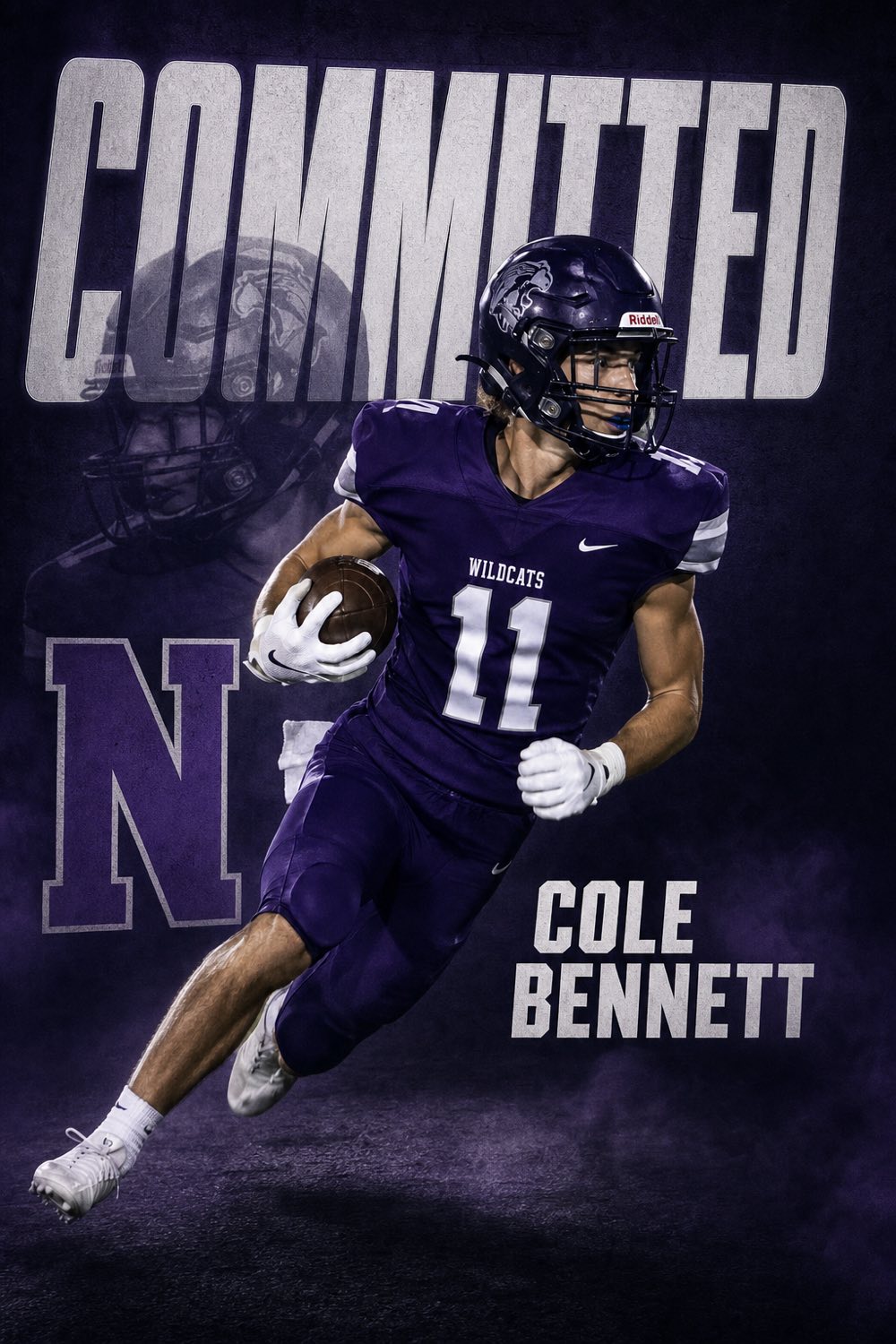
More than 20,000 NCAA athletes enter the transfer portal every year, and every one of them who lands somewhere posts the same thing: a graphic with their new school's colors, their name, and one word across the top. The commitment post announced where you started. The transfer post announces where you're finishing, and it gets shared just as hard — by the new program's recruiting page, your old teammates, and the fans who followed you.
CommitGraphics has a dedicated Transfer tab. It works exactly like the commitment graphic: one action photo, your name, position and class year, the school you're transferring to and its state. The engine designs a finished poster around your photo with the headline TRANSFERRED instead of COMMITTED, in the new school's real colors.
It covers every move: D1 to D1, dropping from D1 to D2 or D3 for playing time, JUCO to a four-year school, or a grad transfer for a fifth year. Any school, any level, same treatment as a top-program announcement.
A minute from done
Your details
Name, position, jersey number and class year, exactly how they should read on the graphic.
Your new school
Type the program you're transferring to and its state. Real colors and identity are pulled in automatically.
Your photo
One action shot from last season. Game photos from your old school work fine — the design is built around the new colors.
Make it official
Two finished TRANSFERRED designs per tap. Regenerate until it's the one, then post.
Built for the portal
The headline says what actually happened. No cropping an old commitment template to hide the wrong word.
Your new program's actual palette, automatically. The post looks like it came from their creative department.
Use your best action photo from anywhere. Optionally recolor the uniform to the new school so nothing looks borrowed.
Instagram post, Story, square and X in one download, ready for your page and the recruiting reposts.
The portal is public. Your announcement should look like the program chose you, because it did.
The CommitGraphics difference
When to post a transfer announcement
Portal windows are short and the news cycle around them is even shorter. In football, the winter window opens in early January and the spring window follows the end of spring practice; basketball has a single spring window that opens the day after Selection Sunday. In every other sport the window opens after the championship and runs for roughly six weeks. Coaches and recruiting pages are posting daily during those weeks, and an announcement that lands the same day you commit rides that attention.
Post when it's signed, not when it's rumored
Transfer commitments fall through more often than high-school commitments do. Wait until the paperwork is in and the new staff has said you can announce, then post within the hour. Tag the program, the head coach, your old teammates and the reporter who covered your recruitment — transfer news travels through those accounts.
Say thank you first
The best transfer posts open with a line for the old school before the graphic does the talking: thank the coaches, the fans, the teammates. A gracious exit keeps every door open, and the people at your old program are the ones most likely to share it.
JUCO, grad transfers and drop-downs
JUCO to four-year. Junior-college athletes are the biggest transfer group in baseball, football and basketball, and their announcements read like first commitments. The Transfer tab handles it identically — enter the four-year school, and the JUCO stays in your caption.
Grad transfers. A fifth or sixth year at a new school is still an announcement. Add your degree and the school you graduated from in the caption; the graphic carries the new program.
Dropping a level for playing time. D1 to D2, D2 to D3, or Power Four to Group of Five. The design gives the new school the same production value a top program gets, which is exactly the point: the post makes the move look like the upgrade it is for your career.
Which photo to use for a transfer graphic
You have a full season of photos at your old school, which is more than most high-school athletes have when they commit. Pick the frame where you are the biggest thing in the picture, in focus, mid-action, with your face open to the camera. A photo in your old uniform is normal and expected; if you'd rather not show the old colors, turn on "match uniform to school colors" and the engine recolors the kit to the new program.
Avoid team photos, celebration huddles and anything with a second person in frame. The design needs one athlete to cut out and build around.
Questions, answered
Is there a specific transfer portal graphic in the app?
Yes. The Transfer tab makes a graphic with the headline TRANSFERRED, built from your photo in your new school's colors. It is the same engine as the commitment graphic, with the word that fits the moment.
Can I use a photo from my old school?
Yes. Most transfers do. If you want the uniform to match your new program, the match-uniform option recolors the kit; if you leave it off, the photo stays exactly as shot.
Does it work for JUCO transfers and grad transfers?
Yes. Enter the school you are moving to and its state. JUCO to four-year, grad transfers and level changes all use the same Transfer tab.
How much does a transfer graphic cost?
The app is free and every graphic previews free. A one-time pack of 20 clean HD graphics is $14.99, never a subscription. Commitment, transfer and offer graphics all draw from the same pack.
When do transfer portal windows open?
It depends on the sport. Football has a winter window in early January and a spring window after spring practice; basketball has one spring window opening the day after Selection Sunday; most other sports open a window after their championship. Check the current NCAA calendar for your sport, since the dates shift each year.
Every moment covered
New school, same energy.
Announce the transfer the way a program would. Download CommitGraphics and make it official.
Preview before you buy · commitgraphics.com